
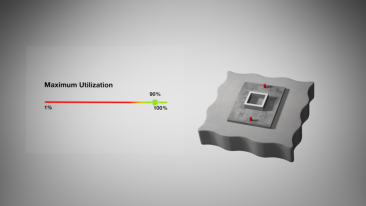
Introducing the First Optimization-Powered Anchor Calculation Software
Recent advancements in AI and Machine Learning have sparked widespread interest and adoption, shaping how complex problems are approached across various industries. Recognizing the potential of these technologies, Hilti has tailored its approach to meet the specific needs of structural engineering companies by incorporating a sophisticated mathematical optimization method into PROFIS Engineering. This method, inspired by the efficiency of AI-driven solutions, enhances our software's capability to optimize multi-fastener joints—a critical aspect often encountered in construction and design applications. This development not only promises to revolutionize the workflow of engineers and reduce the learning curve for new users but also allowing structural design connections to be more efficient in over 70 countries. By integrating this advanced algorithm, PROFIS Engineering sets a new standard in precision, effectively eliminating the need for the manual iterations that have traditionally slowed the design process.
At the heart of this innovation is a powerful optimization tool that tackles complex design challenges by swiftly evaluating various factors—such as material strength, joint geometry, and fastener placement. This approach efficiently finds the best solutions, ensuring both the durability and precision of structural design connections.
One of the paramount benefits of this approach is its potential to enhance productivity significantly among structural engineering firms. By streamlining the calculation process by eliminating iterative steps, engineers can allocate their resources and focus on more critical design considerations, increasing their overall workflow efficiency. This not only translates to a reduction in design time but also ensures that projects adhere to stringent deadlines without compromising on quality or accuracy.
Furthermore, this algorithm empowers engineers to make more cost-effective and sustainable decisions. By optimizing the utilization and placement of fasteners, the methodology supports the design of structures that meet and exceed performance requirements while minimizing material waste and reducing overall project costs. This aligns with the growing industry focus on sustainability, enabling engineers to contribute positively to constructing environmentally friendly structures.
So how can you get started?
 >
>  >
> 
To start, access PROFIS Engineering at https://profisengineering.hilti.com (or product page); once you log-in, start a concrete fixing calculation by selecting the first module displayed on the Homepage, Anchoring to Concrete. Once inside the module, click the third tab, “Smart Design.” Here, you can toggle on two modes of “Smart Design”: Manual, where you will get a recommendation of anchors, and Auto (exclusive for premium users), where you can exploit the maximum benefits from this new functionality. Please note that all button options on the left tab will be disabled, as you will have everything you need in this mode.
Guiding the right anchor selection:
 >
>  >
> 
Following your input, our anchor calculation software will suggest up to three suitable anchors tailored to your specific project needs. As an expert, you have the flexibility to choose from these recommendations or select others based on your preferences. For further insight, simply click the 'i' icon to understand the basis of each recommendation, including technical approvals and practical applicability.
Note: To create this recommendation, we asked structural engineers which projects they spent more time on and which baseplates they designed more often. Based on this, our anchor experts match each application requirement with the specific approvals that could best meet those requirements.
Time to include the minium requirements:
 >
> 
Once you have your preferred anchor(s) selected, you can include the minimum required parameters necessary to perform an anchor calculation, which should come as an outcome of your structure design. They are profile type, concrete properties (including geometry), and loads. You can include both geometries and loads directly into the model. Don’t worry if you don’t see the baseplate; Smart Design will use all the information provided to give you the minimum baseplate area.
Eliminate iterative work:

Now that you have input all the minimum information to design your anchors, technically, you are good to go, however, there’s something more you should try out. By clicking on “Advanced Inputs” in the bottom of the panel, you will be able to unlock the full potential of Smart Design. 
With just a few clicks, you can set your desired level of utilization—aiming for as close to 100% as possible. High utilization rates mean you're making the most out of your materials, which not only reduces costs but also speeds up the installation process. Adjust this setting to ensure your design is both resource-efficient and cost-effective.
Finally, you could use some of the construction options to narrow down the number of calculated solutions, giving you faster results.
Too many solutions? Don’t worry!

Once you are ready, and with a single click of a button (“Search Solutions”), you will notice that several solutions will come. The results count at the bottom will be displayed as they are calculated and sorted by smaller to larger baseplate area.
However, we have more than 100 solutions in this example, making the final selection a bit overwhelming. For this, we have equipped you with two handy options; first, you have a sorting option, allowing you to organize your solutions by utilization, baseplate size, and number of anchors or embedment depth, and second, with a filtering option that you can access by clicking this icon  , enabling you to weed out solutions based on some of the parameters you know won’t be needed in your final design.
When clicking any solutions, the solution card will expand, giving you a glimpse of your final design before you print out your calculation report and send it to the construction site.
Conclusion
Integrating this advanced optimization algorithm into PROFIS Engineering Anchor Calculation Software, represents a leap forward in structural engineering. It promises structural engineers a powerful tool for designing optimal multi-fastener joints, enhancing their productivity, enabling the creation of more cost-effective and sustainable solutions, and ultimately, giving them further peace of mind by aiding them in selecting the right anchor for the right application.
Explore how Smart Design in PROFIS Engineering can revolutionize your workflow.
Interested in a live demo? Contact our team at NZEngineers@hilti.com to experience it firsthand.
